
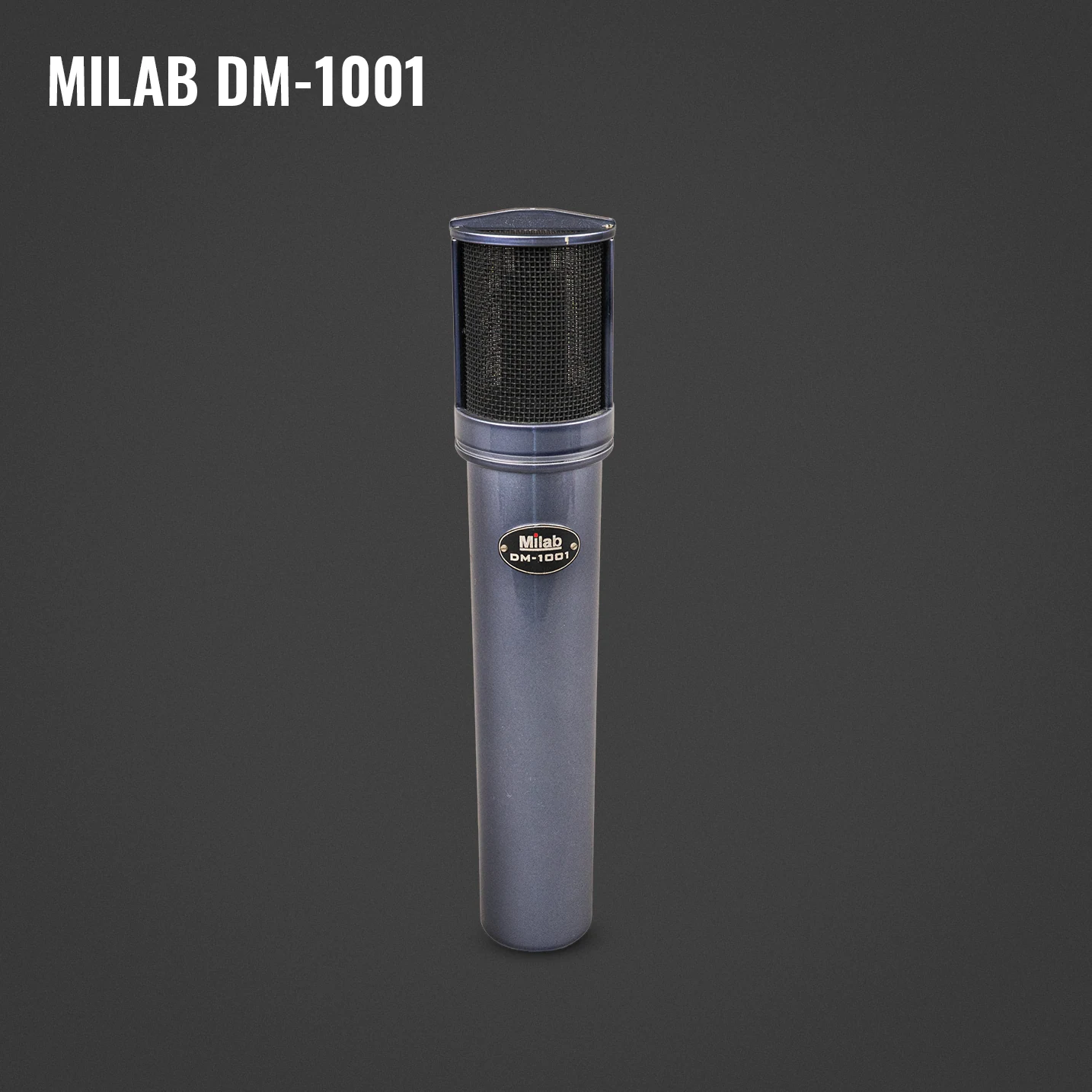
Milab archive · Introduced in 1999
DM-1001
Digital microphone system
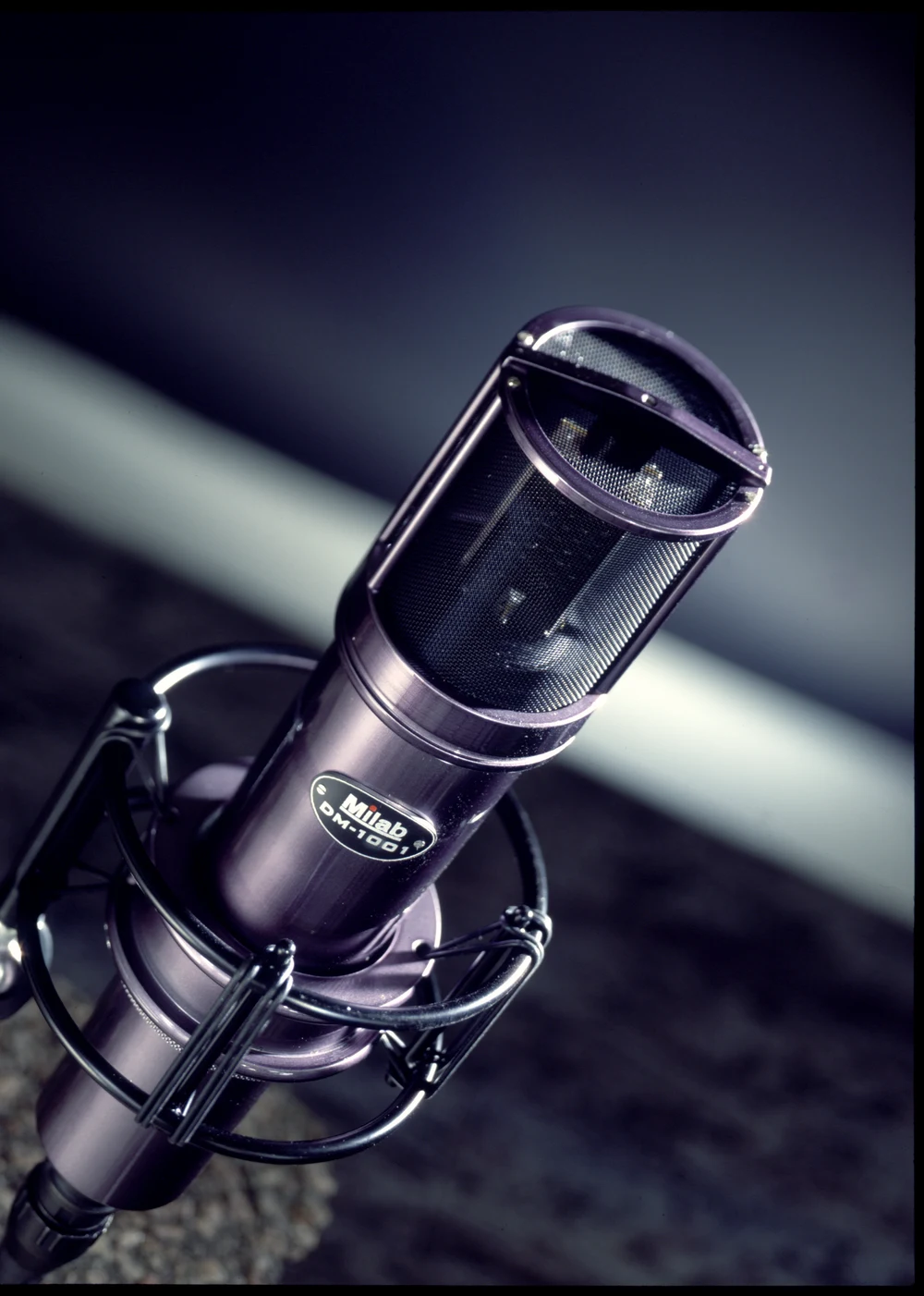
The DM-1001 brought Milab’s rectangular capsule into the digital domain. A dual-diaphragm condenser capsule, A/D conversion and digital signal processing are combined inside the microphone, with an external unit providing power, control and digital output.
Five standard polar patterns, continuously variable directivity and programmable filters give the engineer control over the recording at its source.
Legacy model · No longer in production
The sound starts at the capsule
One microphone.
A choice of perspectives.
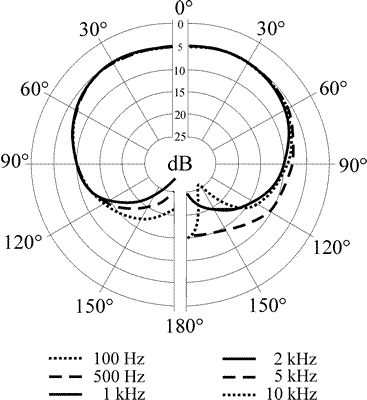
The two sides of the rectangular capsule are converted separately. The microphone’s DSP combines them to create the selected polar pattern, from omnidirectional through cardioid to figure-of-eight.
In pass-through mode, the front and rear capsule signals are sent to separate digital channels. Their balance can then be adjusted later in the recording chain.
Factory presets and saved settings can be recalled from the control unit, so a computer does not need to remain connected during a session.
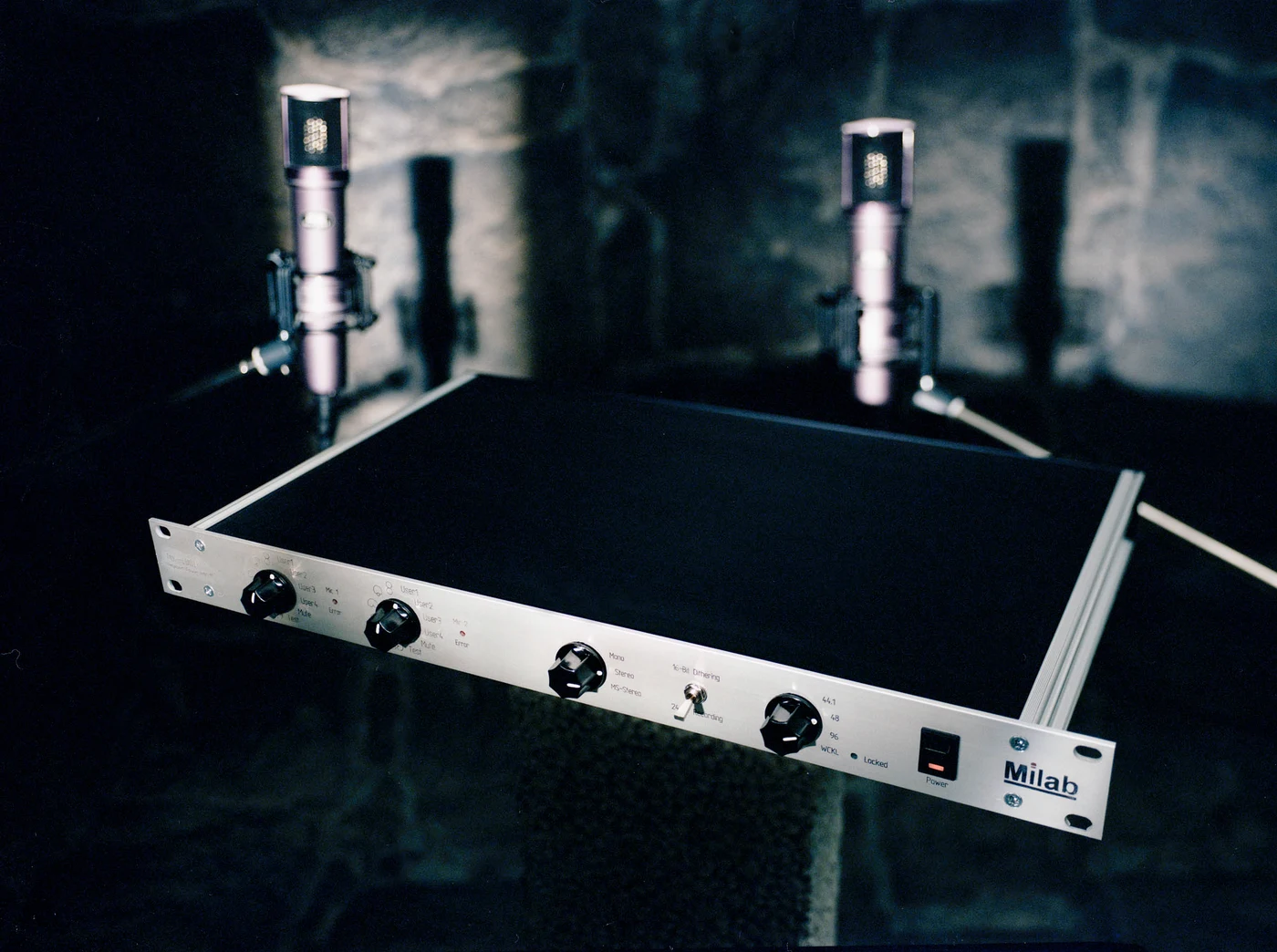
The complete system
PPU-01 & PPU-10
PPU-01 · Single microphone
The original control unit powers one DM-1001 and delivers AES/EBU digital output. Its selector provides standard patterns, four user memories, mute, a test tone and pass-through operation. An RS-232 connection links the unit to Acoustic Designer.
PPU-10 · Stereo system
The later stereo system uses two DM-1001 microphones with the PPU-10. It adds independent mono, linked stereo and M/S operation, AES/EBU and S/PDIF outputs, word-clock input and 16- or 24-bit output.
The PPU-10 offers 44.1, 48 and 96 kHz output settings. The 96 kHz signal is converted from the microphone’s 48 kHz signal in the PPU-10, as documented in the 2004 Monitor review.
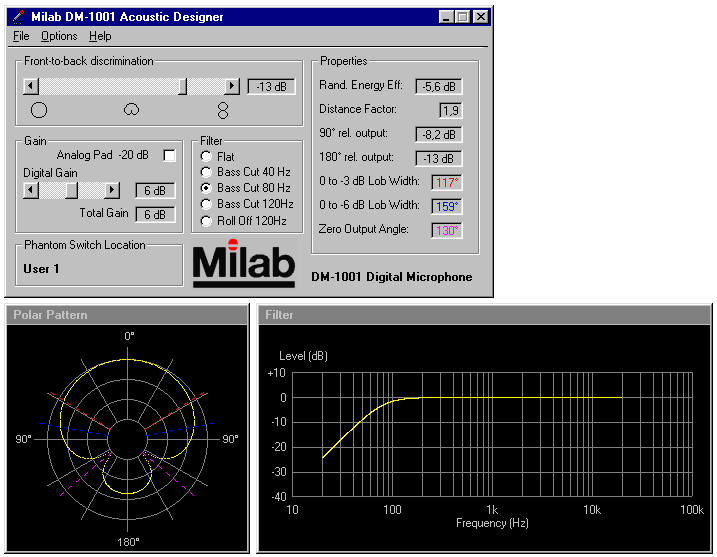
Computer control
Acoustic Designer
Milab’s original PC software controls polar pattern, analogue attenuation, digital gain and DSP filters. Settings can be saved to disk or stored in the control unit for later recall.
The software was designed for Windows PCs with an RS-232 serial connection. See the original manual for the requirements of each system.
Technical archive
Specifications
From Milab’s original brochure and manuals. Control-unit features are identified separately.
- Capsule
- Rectangular dual-diaphragm condenser
- Frequency response
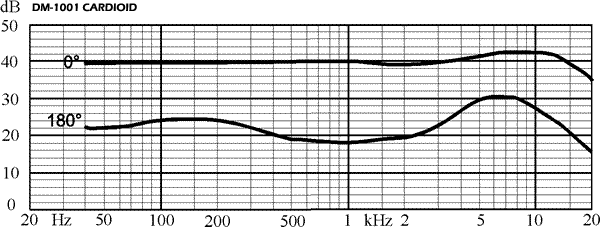
- 20–20,000 Hz
- Standard polar patterns
- Omnidirectional, wide cardioid, cardioid, supercardioid and figure-of-eight
- Variable polar patterns
- Continuously adjustable in Acoustic Designer
- A/D conversion
- 24-bit Sigma-Delta; 44.1 / 48 kHz listed in the original brochure
- Digital output
- AES/EBU; PPU-10 also provides S/PDIF
- Maximum SPL at digital full scale (1 kHz)
- 124 dB; 144 dB with the −20 dB pad
- A-weighted noise level
- ≤18 dB (IEC 179-A)
- Pre-attenuation
- −20 dB
- DSP filters
- 40, 80 or 120 Hz bass cut at 12 dB/oct; 120 Hz roll-off at 6 dB/oct
- Microphone dimensions
- 237 mm long; 40 / 48 mm diameter
- Microphone weight
- 730 g
- PPU-01 dimensions / weight
- 48 × 111 × 171 mm / 1,750 g
Original documentation
Manuals & downloads
Archive editions. Contact details and software requirements inside these documents reflect their original publication.
Using an existing DM-1001
Use the microphone only with its dedicated Milab PPU-01 or PPU-10 unit. Do not connect it to a conventional phantom-power source, or connect the unit’s AES output to an analogue microphone input. Follow the manual for your system.
Contact Milab about your microphone